TL;DR
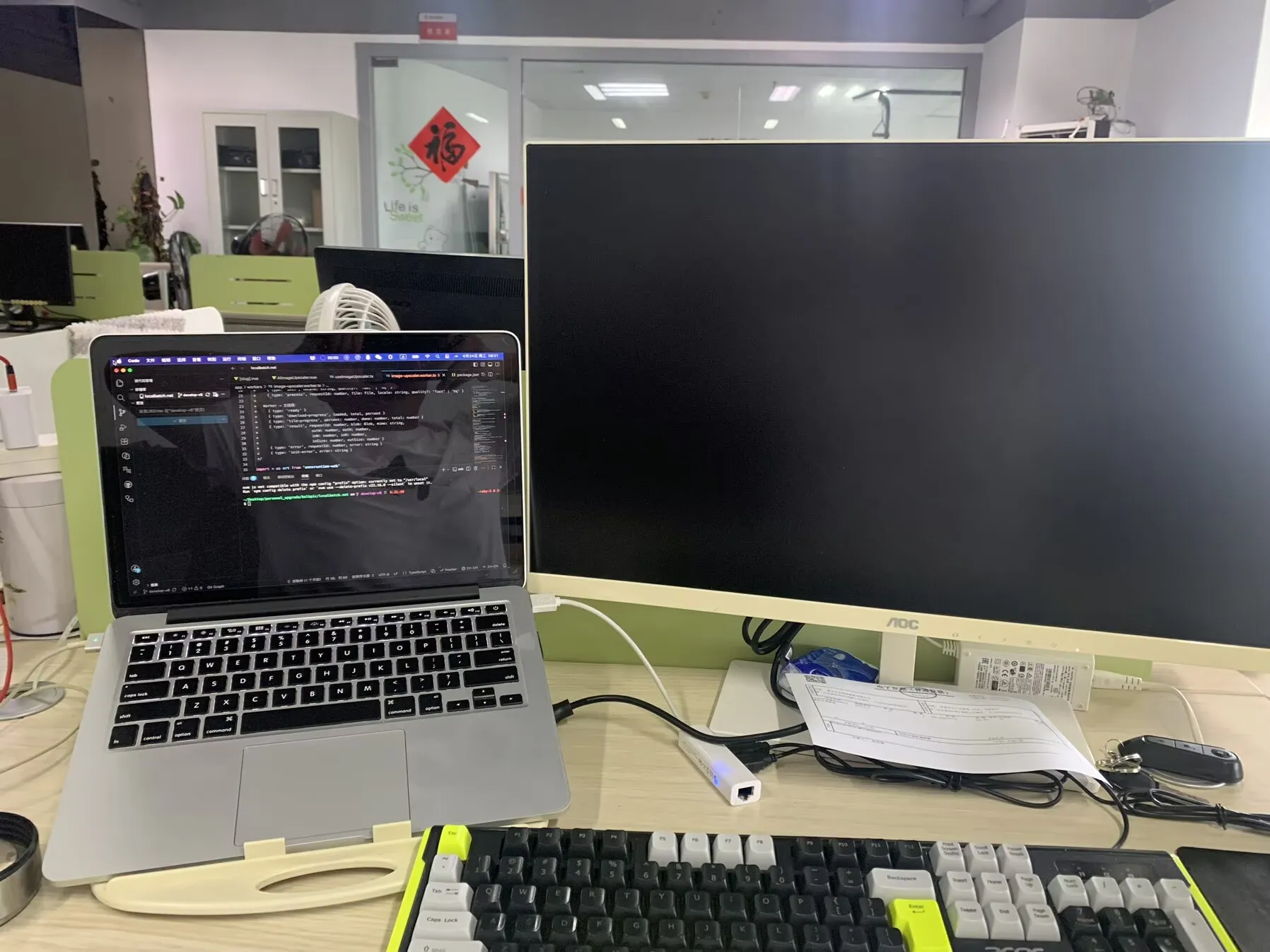
Wrangler requires macOS 14 or newer. My Mac is from 2015, and Apple stopped offering an official upgrade path for it years ago. I didn't check this before committing to the Cloudflare stack in Part 1 — I'm writing this so you can check it before you do.
What Happened, Briefly
I set up the Cloudflare stack described in Part 1 of this series, went to install Wrangler, and hit a hard wall: macOS 14+ required, and my machine couldn't get there through any official Apple upgrade path. I ended up paying for a forced upgrade service, which got Wrangler running but broke my external monitor in the process — two days lost before I could write a single line of code against Cloudflare.
The point of this post isn't the story. It's the checklist I should have run before committing to a tool, and the actual trade-off behind the option I picked once I hit the wall.
The Pre-Flight Checklist: Confirm This Before You Adopt a CLI Tool
If you're an indie developer on hardware that's more than a few years old, run these checks before you build your workflow around a new CLI tool, not after:
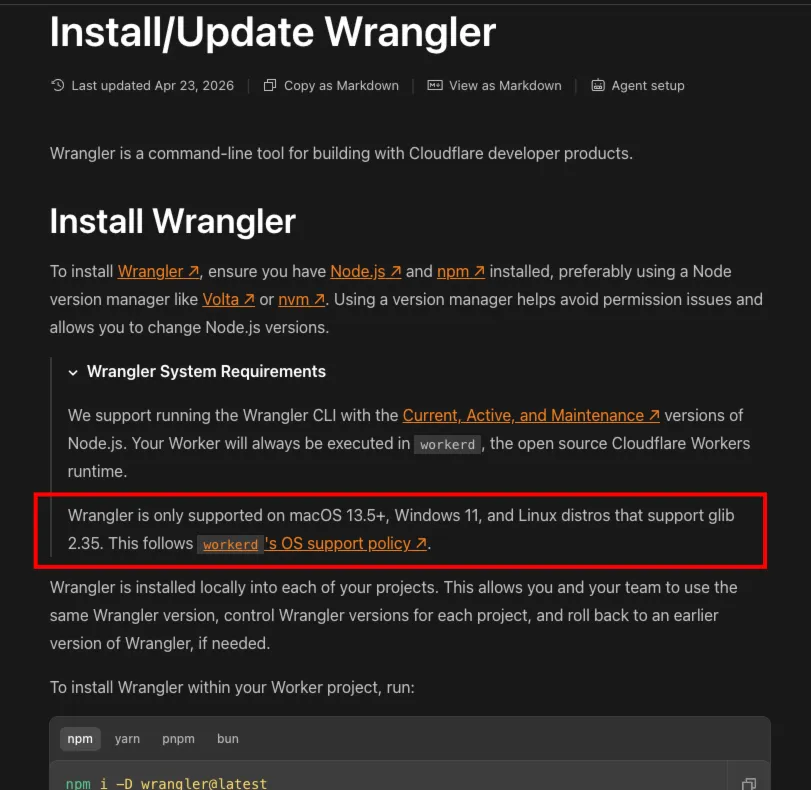
- Find the tool's actual minimum OS version, not just "works on modern Mac." For Wrangler specifically, the requirement is macOS 14+ — check this exact number on Cloudflare's own Wrangler installation docs, not from a tutorial that might be a year or two old and no longer accurate.
- Check whether your specific Mac model can reach that OS version at all. Apple publishes the list of Macs supported by each macOS release. Look up your exact model year and number, not just "is my Mac old."
- If your model isn't listed, that's a different problem than "a few versions behind." It means there's no official upgrade path, and any upgrade requires a third-party method — which carries its own risk (see below).
- Check this before you've already built things assuming the tool will be available. I checked it after I'd already decided Cloudflare was my stack, which removed "pick a different tool" from my options. Checking earlier keeps that option open.
This takes ten minutes. The forced upgrade I eventually did took two days. The math on doing this check first is not close.
The Options I Actually Had
When I hit the wall, here's what was realistically on the table — and what I'd weigh differently if I were deciding again:
1. Forced/unofficial OS upgrade on the existing machine (what I did) Cheapest in dollar terms, no new hardware to manage. The real risk is exactly what happened to me: unofficial upgrades can introduce side effects — driver issues, peripheral incompatibility — that have nothing to do with the OS version number and everything to do with hardware the upgrade was never tested against. You're trading a known cost (money) for an unknown one (time spent on whatever breaks).
2. A cloud-based development environment (e.g., GitHub Codespaces or similar) I did consider this — it sidesteps your local OS version completely, since Wrangler would run in the cloud container instead of on your laptop. What ruled it out for me was setup friction: getting the environment configured the way I needed, and then resetting or reconfiguring it repeatedly instead of working in a stable setup I fully control, looked like its own ongoing time cost rather than a one-time fix. For someone who can tolerate that friction, or who already works in a cloud-first setup, this removes the hardware variable entirely — it just wasn't the lower-friction path for me.
3. Borrowing or temporarily using a machine that already meets the requirement If you know someone with newer hardware, this gets you unblocked immediately with zero cost and zero risk to your own machine. Not always available, but worth ruling out before spending money or time on the other two options.
4. Buying new hardware The most expensive option up front, the most permanent fix. I ruled this out for cost reasons, but it's the option with the least ongoing risk — no unofficial upgrade side effects, no recurring cloud costs.
Why I Picked the Forced Upgrade Anyway
I did weigh the cloud-based dev environment option before deciding — I didn't just default to the forced upgrade without thinking. What ruled it out wasn't cost, it was setup friction. Getting a cloud environment configured the way I actually needed it — the right runtime, the right tools, my project synced and working — was its own time sink, and on top of that, I'd be resetting or reconfiguring that environment repeatedly rather than working in a stable, persistent setup I fully control. For a problem I just wanted to be done with, trading "fix my own machine once" for "manage a cloud environment on an ongoing basis" didn't look like the faster path, even though it avoided the OS version problem entirely.
That's the actual trade-off, not a hypothetical one: the forced upgrade had an unknown one-time risk (which turned into a real cost, see below), while the cloud environment had a known, recurring setup-and-reset cost. I picked the option with the unknown risk because I expected to deal with it once and be done, not on every session.
The Cost
The upgrade itself went through. The external monitor stopped working correctly afterward — unrelated to Wrangler or Cloudflare, a direct side effect of forcing an unsupported OS jump onto older hardware. Diagnosing and fixing that, on top of the upgrade itself, brought the total to two full days before I could start actual development work.
My Take
This doesn't change my decision from Part 1 — I'd still choose Cloudflare over running my own server. But the first real cost of "going serverless" had nothing to do with serverless architecture at all. It was a tooling requirement I hadn't checked against hardware I'd already decided to keep using. That's a planning gap, not a Cloudflare problem, and it's exactly the kind of cost that's easy to skip in a write-up unless you go looking for it on purpose.
Lessons Learned
- Before adopting any CLI tool, look up its minimum OS/runtime requirement directly from the vendor's docs — not from a tutorial that may already be outdated.
- Cross-check your specific hardware model against the vendor's official supported-device list before assuming "old but upgradable."
- If your hardware has no official upgrade path, weigh a cloud-based dev environment against an unofficial upgrade on the actual axis that matters: one-time unknown risk versus ongoing setup-and-reset friction — not just which one is cheaper.
- Run this check before committing to a stack, not after — it keeps "pick a different tool" on the table as an option.
- An unofficial upgrade's real cost isn't the fee — it's the unknown side effects on hardware the upgrade was never tested against. Budget time for that possibility, not just money for the upgrade itself.
Part of the "Going Serverless" series. Previous: Why GitHub OAuth Login Failed Locally (And How I Faked My Way Around It)